How to Turn Claude Into Your Own Personal SEO Assistant
Turn Claude into a personal SEO assistant with live keyword, ranking and audit data via the DataForSEO MCP. Step-by-step setup plus the exact prompts to use.

Traditional SEO tools are falling behind. Google is evolving faster than ever, and if your tools aren’t keeping up, your rankings will slide. But what if you could build your own SEO assistant? One that knows your site, your competitors, and gives you crystal-clear, data-driven answers? This is the starting point of the full Claude SEO system.
Yep. I’m talking about Claude 4 + Data For SEO + a lightweight MCP integration that turns Claude into an SEO strategist with live data access.
Here's how to set it all up from scratch. No dev skills needed.
What You’ll Need
Before you start, get these tools ready:
- Claude for Desktop – Mac or Windows: Download Claude
- Node.js – Runtime for installing dependencies: Download Node.js
- Data For SEO account – Use this link to get $1 credit (goes a long way): Sign Up
- VS Code – Free code editor to tweak one config file: Download VS Code
Step-by-Step Setup
1. Install Claude + Node.js
Start by installing Claude and Node.js on your computer. Simple next-next-finish installs.
2. Sign Up for DataForSEO
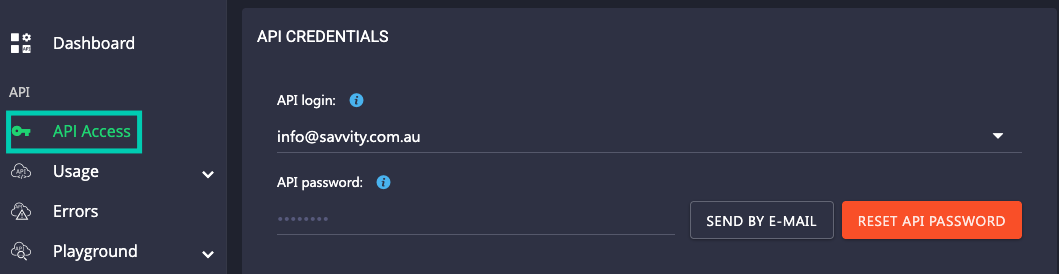
Create an account, grab your login email and wait for your API password (it’ll come via email). You’ll need both soon.
3. Launch Claude Desktop
Open Claude on your Desktop, log in, and go to:
Settings → Developer → Edit Config

This opens a config file in your editor. You'll paste this 👇 snippet of code here that connects Claude to Data For SEO via the MCP (multi-call plugin).
Paste the code, then replace the placeholder email and password with your actual API credentials from Data For SEO.
CTRL + S to save. Close the editor.
4. Restart Claude
Quick-restart Claude. Now under the Search and Tools tab, you’ll see a new integration: Data For SEO.
Click it. Welcome to your new SEO command center.
Time to Test It
Ask Claude something like:
“How many keywords is [yourcompetitor.com] ranking for? Give me the top 20, and their backlink summary.”
You’ll need to allow API access the first time, but then it remembers. In seconds, you’ll get real search volume, estimated traffic, backlink counts, domain authority, and more.
Not AI guesses. Real, live data.
Video Installation Guide