How to Do an SEO Audit
A practical, step-by-step way to audit your website for traditional rankings and AI search, built for business owners who want a clear, prioritized fix list, not jargon.
What is an SEO audit?
An SEO audit is a structured review of your website that finds the technical, on-page, content and off-page issues holding back your search visibility, then turns them into a prioritized list of fixes. The goal is simple: see exactly why you are not ranking (or being cited by AI) and know what to change first.
A good audit checks how search engines crawl and index your site, whether your pages answer the right queries, how fast and stable the site is, and how trusted it looks to Google. In 2026 it also checks one more thing that most older guides skip: whether AI search engines like ChatGPT, Perplexity, Gemini and Google AI Overviews can read and cite your content.
You can run an SEO audit yourself with free tools, use a paid platform, or have it done for you. This page is the hub for our whole audit system: start here, then go deep with the step-by-step walkthrough below, the full checklist, and the tools comparison below.
Why an SEO audit matters
Search visibility decays on its own. Pages that ranked last year slip as competitors publish, Google updates its algorithm, and your own content goes stale. An audit catches that decay early and protects the organic traffic you already earned.
It also catches expensive, invisible problems: pages accidentally set to noindex, broken redirects bleeding link equity, slow Core Web Vitals dragging down rankings, or a manual action (Google penalty) you never noticed. A single fixed crawl error can recover traffic that paid ads would cost thousands to replace.
More than that, your onsite SEO is the base that decides how well you can ever do in your niche. It sets the ceiling on your results. Trying to rank a site with weak onsite SEO is like racing in Formula 1 with a Toyota Prius: you will move, just not well, and never fast enough to beat the people who got the fundamentals right.
This still holds in the age of AI search. You will not have much luck getting cited by ChatGPT, Perplexity or Google AI Overviews if your fundamentals are broken, because these AI search engines are built on top of traditional search. They lean on the same crawling, indexing and trust signals. Fix the base first, and everything you layer on top of it works better.
When and how often to run one
- Quarterly: a light health check keeps small issues from compounding.
- After a site migration or redesign: these are the most common cause of sudden traffic loss.
- After a traffic drop or algorithm update: audit to find what changed.
- Before a big content push: fix the foundation before you build on it.
The 4 types of SEO audit
Most SEO audits cover four areas. You can audit all of them together or focus on one at a time.
| Type | What it checks | Examples |
|---|---|---|
| Technical SEO | Whether search engines can crawl, render and index your site | robots.txt, sitemaps, canonicals, Core Web Vitals, status codes |
| On-page SEO | Whether each page targets and answers the right query | title tags, headings, meta descriptions, internal links, content depth |
| Content SEO | Whether your content earns rankings and stays fresh | search intent, content decay, cannibalization, content gaps |
| Off-page SEO | How trusted and authoritative your site looks | backlink profile, referring domains, toxic links, brand mentions |
The deepest of these is the technical layer, which is why it gets its own technical SEO audit guide. The content side has its own content audit guide covering pruning, decay and AI citations.
Before you start: tools and access you need
You can run a complete audit with free tools. Set these up before you begin:
- Google Search Console: verify your site to see indexing, queries and Core Web Vitals.
- Google Analytics 4: connect it for traffic and conversion data.
- A crawler: Screaming Frog (free up to 500 URLs) to scan the whole site.
- PageSpeed Insights / Lighthouse: for performance, no setup needed.
Everything in this guide can be done with free tools. You only need a paid suite (Ahrefs, Semrush) once you want scheduled audits and deeper backlink data. See the tools guide for the full free stack.
How to do an SEO audit, step by step
To do an SEO audit, work eight steps in order: crawl the site, check indexing, audit on-page elements, review Core Web Vitals, assess content quality, map internal linking, evaluate backlinks, then check AI search readiness. Fix what you find in priority order.
The order matters. Each step assumes the one before it is clean, and there is no point rewriting a title tag on a page Google cannot index.
Step 1: Crawl your site
Run Screaming Frog (or your audit tool) across your whole site to surface broken links, redirect chains, duplicate titles, missing metadata and error pages. This crawl is your map of everything that needs attention, and it mirrors how Googlebot sees your site.
Step 2: Check indexing, robots.txt and sitemap
Open the Pages report in Google Search Console to see which URLs are indexed and which are excluded, and why. Confirm robots.txt does not block important sections, your XML sitemap is submitted and current, and no key page carries an accidental noindex tag. Indexing problems make every other fix pointless, so resolve them first.
Step 3: Audit on-page elements
Check that every important page has a unique, descriptive title tag with its target keyword, a compelling meta description, one clear H1, and a logical H2/H3 heading structure. Confirm the content actually matches the search intent behind the query you want to rank for. Your crawl export makes spotting missing or duplicate titles and meta descriptions fast.
Step 4: Review Core Web Vitals and mobile
Run your key page templates through PageSpeed Insights and check the three Core Web Vitals: LCP (loading), INP (responsiveness) and CLS (visual stability). Use the Core Web Vitals report in Search Console for real-user field data, and confirm the site passes mobile-first indexing, since Google indexes the mobile version of your pages.
Step 5: Audit content quality, intent and cannibalization
Review your content for decay and overlap. Identify underperforming "zombie" pages with no traffic, thin pages that should be merged, and keyword cannibalization where two pages compete for the same query. Find content gaps (topics your audience searches that you have not covered) and topic clusters that need a stronger pillar page. This is a full content audit in miniature.
Step 6: Analyze internal linking and site architecture
Map how pages connect. Important pages should sit within a few clicks of the homepage, every page should have internal links pointing to it (no orphans), and anchor text should describe the destination. Strong internal linking spreads authority and signals your topic clusters to both Google and AI crawlers.
Step 7: Evaluate backlinks and authority
Review your backlink profile and referring domains for quality and relevance, compare your Domain Rating or Domain Authority against competitors, and flag any toxic links (disavow only if you see real spam or a manual action). For YMYL topics especially, check that your E-E-A-T signals (author bios, citations, credentials) are clear.
Step 8: Audit for AI search and LLM visibility
Finally, the step competitors skip: audit whether AI search engines can find and cite you. Confirm AI crawlers (GPTBot, ClaudeBot, PerplexityBot, Google-Extended) are allowed in robots.txt, that each page answers its core question in the first sentence or two, that structure and schema make content easy to extract, and that your topic is covered completely enough to win AI fan-out queries. This is generative engine optimization, covered fully in our AI SEO guide.
Work the full 50-point SEO audit checklist alongside these steps: the steps are the method, the checklist is the list of every individual thing to verify. It is free to download as a spreadsheet.
Turn your findings into an action plan
An audit is only useful if it ends in shipped fixes. Score every finding by impact versus effort and apply the 80/20 rule: a small number of changes (fixing indexation, recovering a decayed top page, improving a slow key template) usually drive most of the gain. Do those first.
Build the report and template
Capture findings in a simple SEO audit report: the issue, where it occurs, its priority, and the fix. A shared Google Sheet or a free SEO audit report PDF works fine; you do not need a 200-page document. Members get a ready-made SEO audit report template and checklist to drop their findings into. Then assign owners and due dates, and re-check after fixes land.
Auditing your site for AI search and GEO
An AI search audit checks whether answer engines like ChatGPT, Perplexity, Gemini and Google AI Overviews can crawl your site, read your content, and cite you in their answers. This is the layer almost every classic audit ignores, and it is increasingly where buyers actually find you.
The mechanics overlap with classic SEO but add new checks. AI crawlers such as GPTBot, ClaudeBot, PerplexityBot and Google-Extended need to be allowed in robots.txt. Your most important answers should sit in the first sentence or two of a page so a model can lift them cleanly. Clean headings, lists and tables make content easy to extract, and schema plus real author signals raise trust.
This is the generative engine optimization (GEO) layer, and it is our specialty. Learn the full discipline in our AI SEO guide, and use your keyword research to map the questions AI search actually fans out into. An audit that ignores AI search is auditing yesterday's web.
New in your audit: agentic browsing
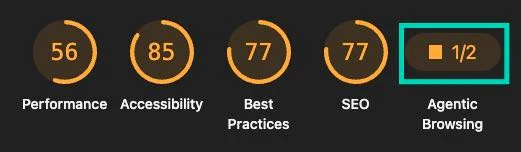
Google Lighthouse has added a new category that matters for this exact shift: agentic browsing. It measures how well an AI agent (the kind that browses the web on a person's behalf) can actually reach, read and act on your site. As agents do more of the clicking and buying, how agent-friendly your pages are becomes a real visibility factor, sitting right alongside the classic checks.
You can test it for free. Install Chrome Canary (an early-release build of Chrome), open DevTools, go to the Lighthouse tab, tick Agentic Browsing, and click Analyse page load. Alongside the usual Performance, Accessibility, Best Practices and SEO scores, you now get an agentic browsing result:
SEO audit tools (free and paid)
You can run a credible SEO audit for free. Google Search Console, Google Analytics and PageSpeed Insights cover indexing, traffic and performance at no cost, and Screaming Frog crawls up to 500 URLs free. Paid suites like Semrush Site Audit and Ahrefs Site Audit add automated scoring, scheduled crawls and prioritized issue lists.
One thing those tools will not tell you is where you actually rank today. Search Console reports an average position blended across every query, device and location, which routinely hides a page sitting at 15 for the one keyword you care about. Our free Google rank checker returns the live position for a single domain and keyword, along with the ten results above you. Run it on your three most important keywords before you start fixing anything: the pages stuck on page two are almost always the cheapest wins in the whole audit.
Start free: check your site speed with GTmetrix
If you are not sure where to begin, run your homepage through GTmetrix, a free tool that grades your site speed and Core Web Vitals and shows what is slowing each page down. It returns a report like this:
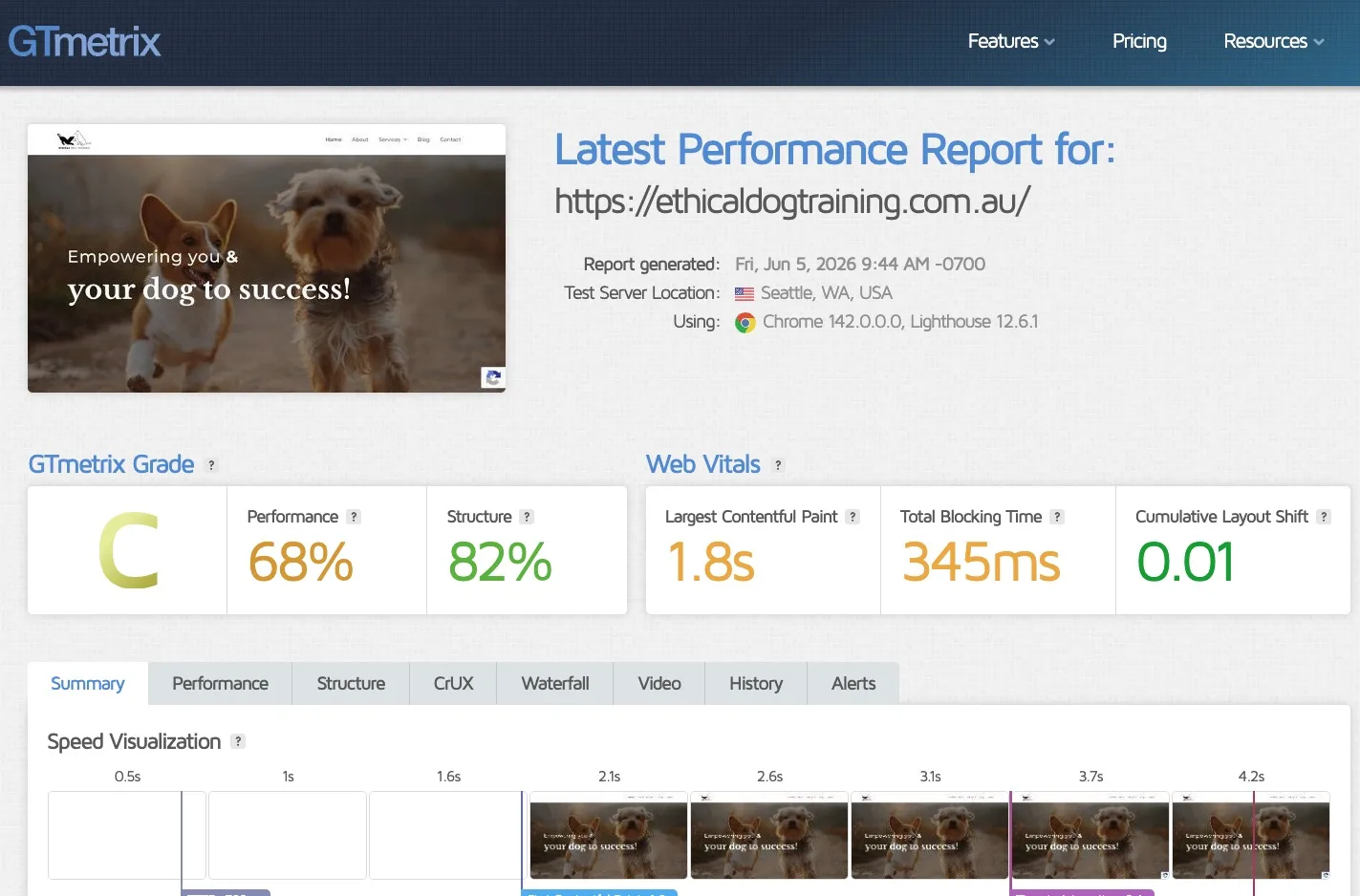
The catch is interpretation. Depending on your technical background, these reports can be hard to read: it is not always obvious what a metric means or what to actually do about it. Here is the shortcut we use. In our experience, around 70% of the time a site loads slowly because of heavy, uncompressed images, and GTmetrix points to the exact files dragging your page down. The fix is usually simple: compress those images and serve them as WebP. See our guides on optimizing images for SEO and using WebP.
If the report still feels too technical, the language really is jargon-heavy, you can hand it to this free GTmetrix Report Analyser custom GPT. Paste in your results (or a screenshot of the report) and it explains, in plain English, what each metric means and exactly what to fix first.
Inside the community, members use DataWise, our SEO tool that runs automated audits and returns a prioritized fix list covering both classic SEO and AI-search readiness in one pass. It is free for members. For the full breakdown of free versus paid options, see the SEO audit tools guide.
Using AI in your audit workflow
Yes, ChatGPT and other AI can help run an audit: cluster pages by topic, draft rewritten titles and meta descriptions, summarize crawl exports, and flag thin content for review. AI does not replace judgment, but it removes the grunt work. Members do this with DataWise, our SEO tool that runs the automated audit (classic plus AI-search) and returns a prioritized fix list. It is free for members.
Everything in SEO Audits
SEO Audit Tools
The audit tools that surface the issues that actually matter.
Read the guideTechnical SEO Audit
Crawlability, indexing, speed and structure, step by step.
Read the guideContent Audit
Find pages to prune, merge, refresh or keep.
Read the guideSEO Audit Checklist
50 checks rated by severity, with a free template.
Read the guideLearn SEO Audits hands-on
Courses, two live calls a week, templates and DataWise. Everything you need to go from reading about it to ranking with it.
How we teach SEO Audits
Audits with a fix list, not a 200-page PDF
We teach you to turn any audit into a short, prioritized list of changes ranked by impact versus effort, so you ship fixes instead of drowning in data.
The AI-search audit layer
Every audit we run includes a GEO check: can ChatGPT, Perplexity, Gemini and Google AI Overviews crawl, read and cite your site? Most agencies still skip this entirely.
Done with you, inside the community
Members run real audits together using DataWise, our free-for-members tool, and get feedback on their fix lists from people doing the same work.
DataWise for SEO Audits
Our in-house SEO tool helps you run a full automated audit and get a prioritized fix list. It is included free with every paid membership, so you stop paying for five different tools.
See DataWise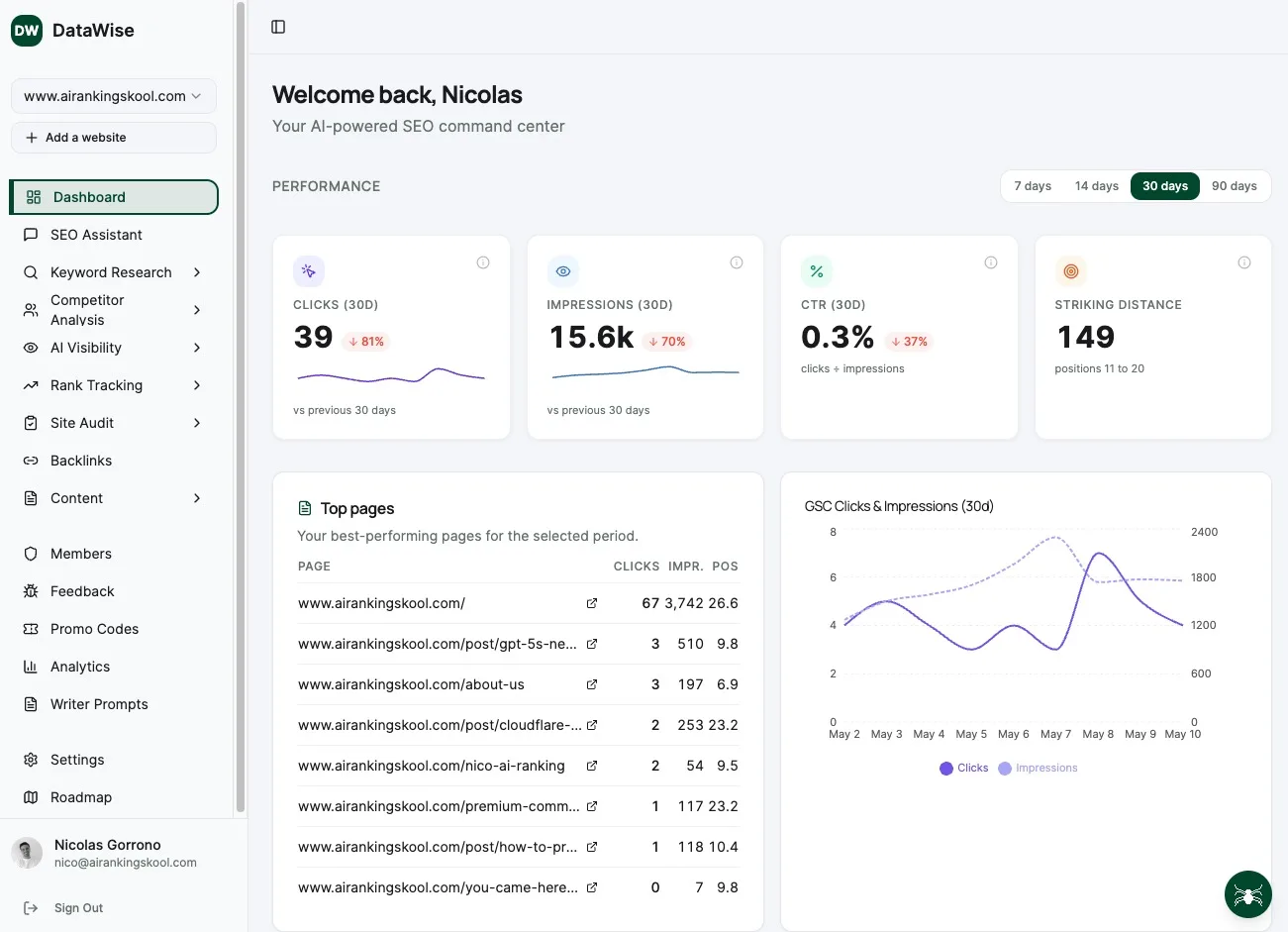
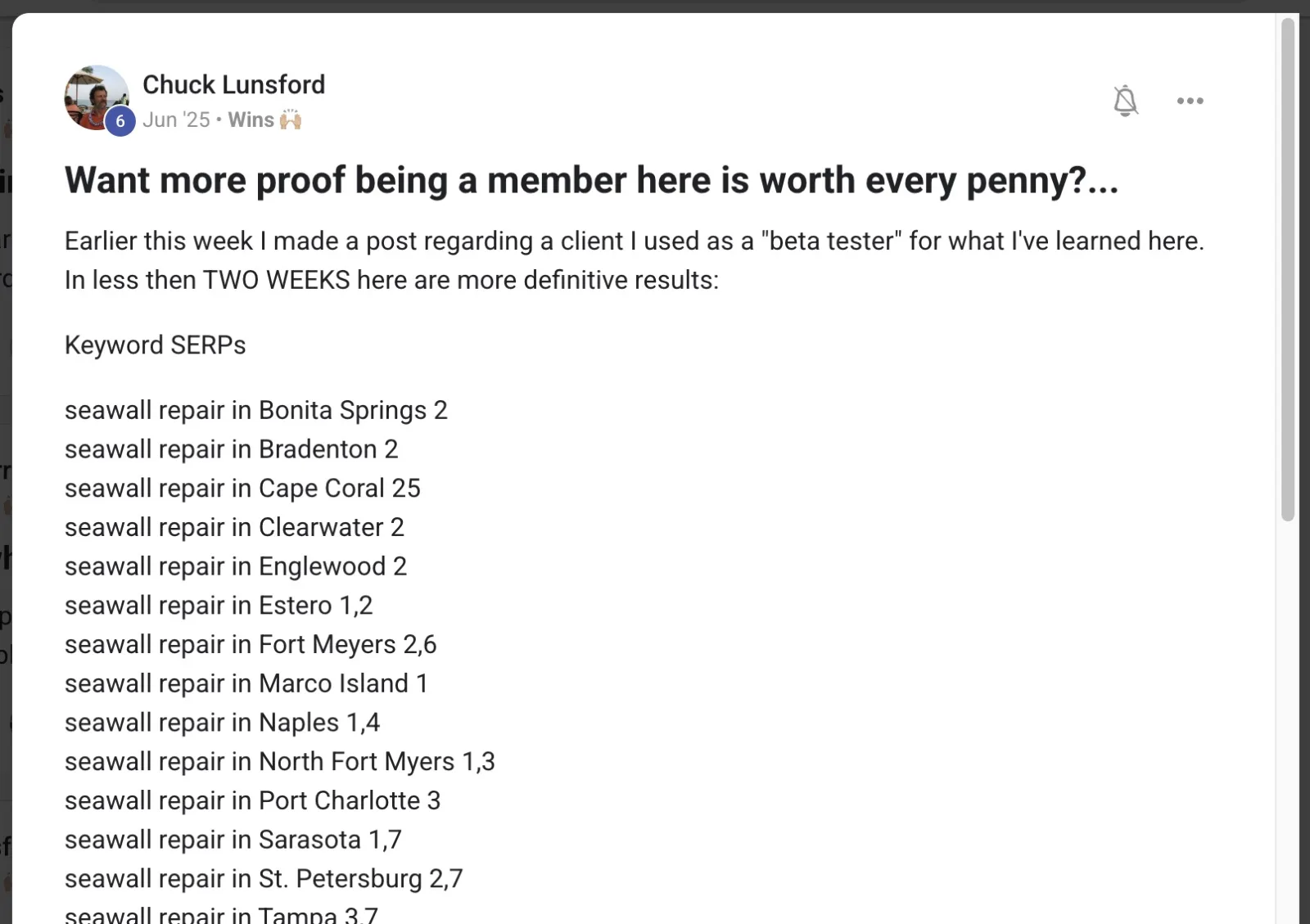
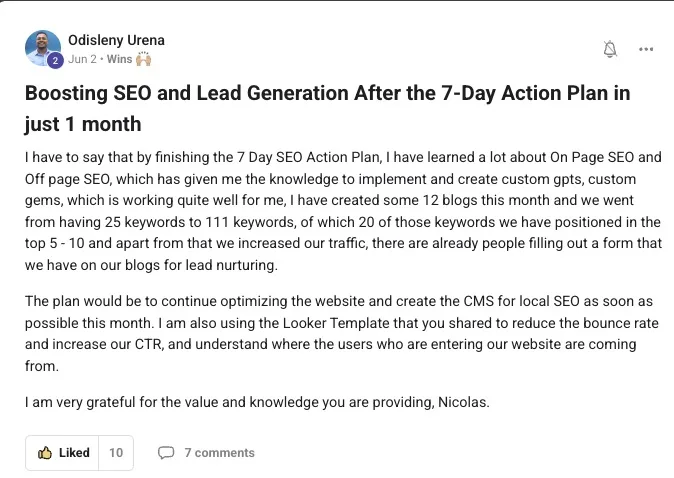
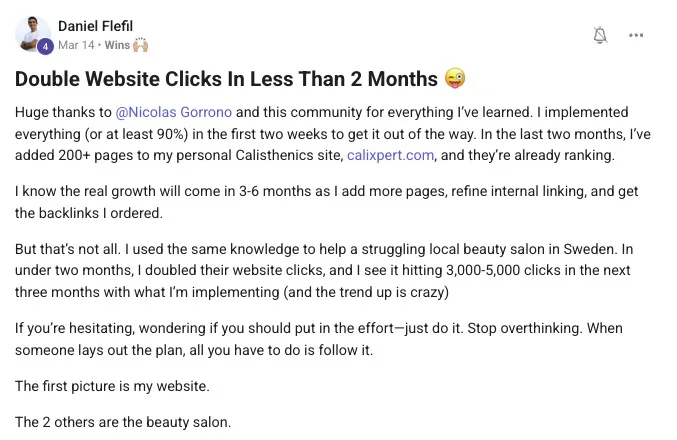
SEO Audits wins from real members
SEO Audits FAQ
What is an SEO audit?
An SEO audit is a structured review of your website that finds technical, on-page, content and off-page issues hurting your search visibility, then turns them into a prioritized list of fixes. In 2026 a complete audit also checks whether AI search engines like ChatGPT, Perplexity and Google AI Overviews can read and cite your content.
How do you perform an SEO audit?
Crawl your site, check indexing in Google Search Console, audit on-page elements, test Core Web Vitals, run a content audit, review your backlink profile, and check AI-search readiness. Then prioritize every finding by impact versus effort and fix the highest-impact items first. Our step-by-step guide walks through each stage.
Which tool is best for an SEO audit?
For a free audit, combine Google Search Console, PageSpeed Insights and Screaming Frog. For automated scoring and scheduled audits, Semrush Site Audit and Ahrefs Site Audit are the leading paid platforms. Community members use DataWise, which audits classic SEO and AI-search readiness together and is free for members.
What are the 4 types of SEO?
The four areas an audit covers are technical SEO (crawling and indexing), on-page SEO (titles, headings and content per page), content SEO (intent, decay and gaps), and off-page SEO (backlinks and authority). A full audit reviews all four, plus AI-search readiness.
How often should I run an SEO audit?
Run a light audit quarterly to catch decay early, and a full audit after any site migration, redesign, traffic drop or major algorithm update. Auditing before a big content push also pays off, because it fixes the foundation before you build on it.
How long does an SEO audit take?
A basic audit of a small site takes a few hours. A thorough audit of a large site, including content and backlink analysis, can take several days. Automated tools shorten the data-gathering, so most of your time goes to interpreting findings and prioritizing fixes.
Is SEO replaced by AI in 2026?
No. SEO is evolving, not dying. AI search engines still pull from crawlable, well-structured, trusted pages, so the fundamentals an audit checks still matter. What changes is that you now also audit for AI citation: getting ChatGPT, Perplexity and AI Overviews to read and recommend you. That is exactly what we teach.
What is the 80/20 rule in SEO?
The 80/20 rule means roughly 80% of your results come from 20% of the work. In an audit, it means prioritizing the few high-impact fixes (indexation problems, a decayed top page, a slow key template) before the many small ones, so you ship the changes that move the needle first.
Can I do SEO myself?
Yes. You can run a complete SEO audit yourself for free using Google Search Console, Google Analytics 4, PageSpeed Insights and Screaming Frog. The steps are learnable, and doing it yourself teaches you how your own site works. The community exists to support you through it rather than do it for you.
What are the 3 C's of SEO?
Content, Code and Credibility. Content is your on-page material and how well it matches intent, Code is your technical foundation (crawling, indexing, speed), and Credibility is your off-page authority (backlinks and trust). A complete SEO audit reviews all three.
Can ChatGPT do an SEO audit?
Not on its own. ChatGPT cannot crawl your site, read your Search Console data or measure Core Web Vitals, so it cannot gather the evidence an audit runs on. Where it genuinely helps is step five onward: summarising a crawl export, clustering pages by topic, spotting cannibalization across a list of titles, and drafting rewritten metadata. Gather the data with real tools, then use AI to interpret it.
How much does an SEO audit cost?
It depends entirely on who runs it and how deep it goes: a freelancer auditing a small brochure site and an agency auditing an enterprise store are different jobs at very different prices, so get quotes rather than trusting a headline figure. Doing it yourself with the process on this page costs nothing but time, because every tool in the eight steps has a free tier that covers a small to medium site.
What is the difference between a GEO audit and an SEO audit?
An SEO audit checks whether Google can crawl, index and rank your site. A GEO audit (generative engine optimization) checks whether AI engines like ChatGPT, Perplexity and Google AI Overviews can crawl, read and cite it. They overlap on the technical foundations but diverge after that: GEO adds AI crawler access, citable answer structure, extractable formatting and completeness against fan-out queries. Step eight of this guide is the GEO layer.
Win at SEO Audits with people who have your back
Join 7,400+ business owners, agencies and freelancers learning AI search engine optimization together.